
Your chairside companion for direct composite restorations
Smile ResiPro takes you from a teeth-only photo to a shade-confirmed layering recipe and a step-by-step procedure, then keeps a PDF record of the case. Created by Dr. Osama Shaalan.
Start with a 3-day free trial on iPhone or iPad. Then $15.99 a month or $89.99 a year.
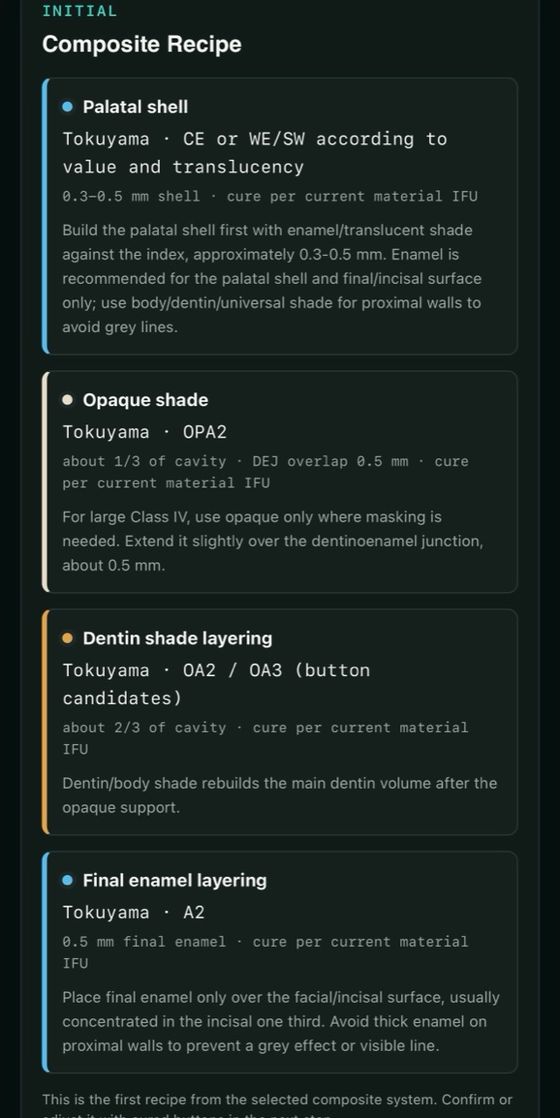

See every layer before you place it
For each case, the app builds a layering reference you can step through at the chair. This is a large Class IV, as Smile ResiPro shows it.
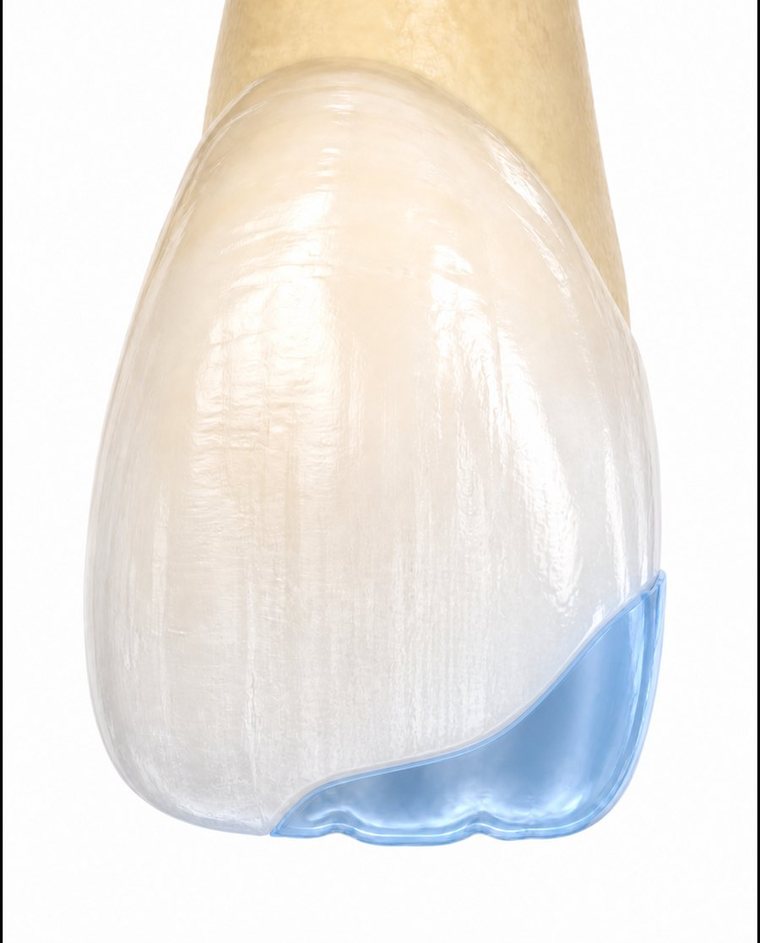
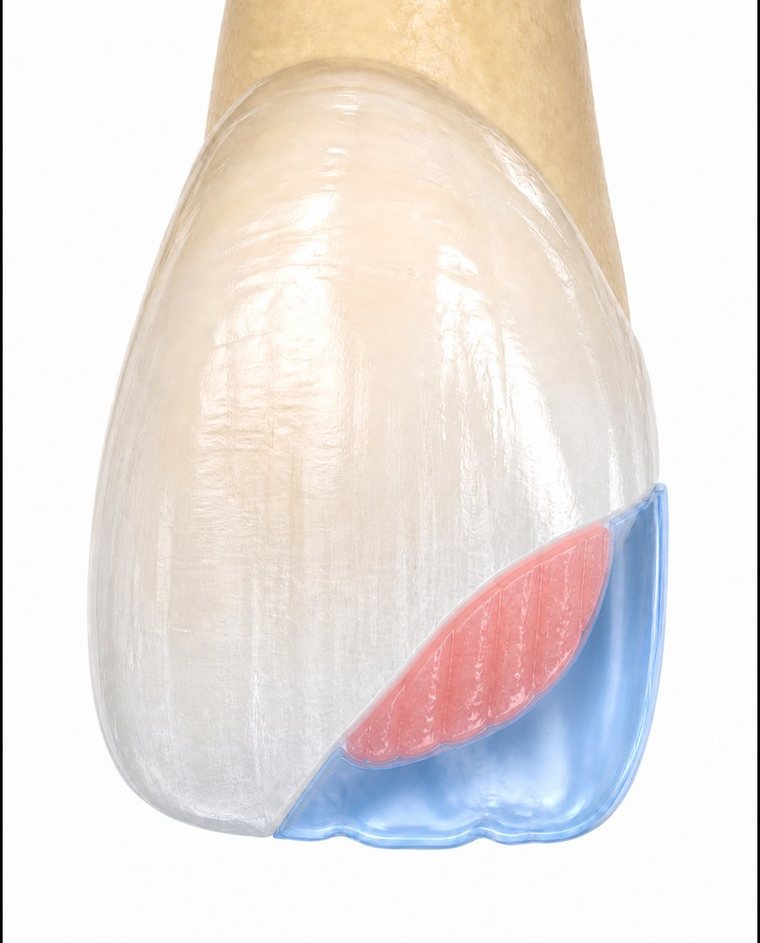
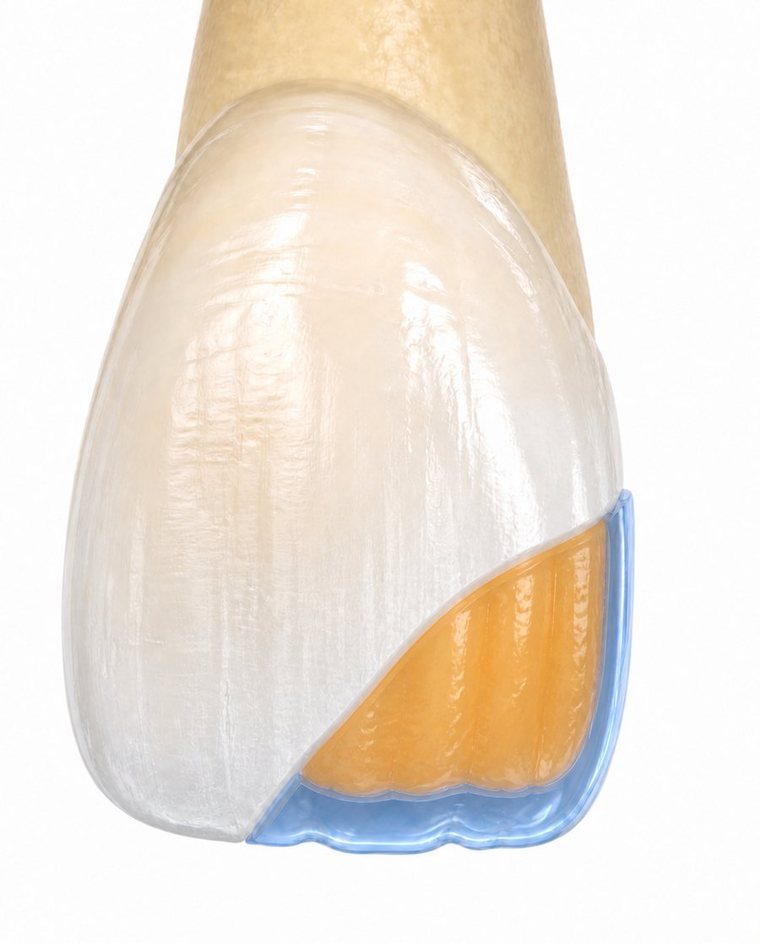
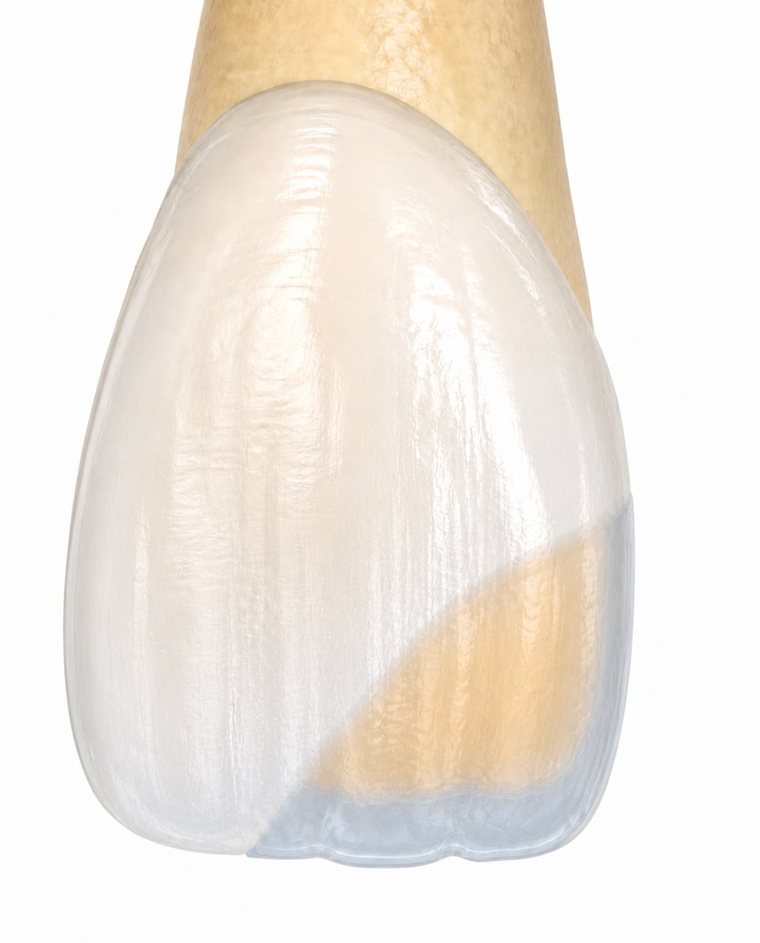
An educational reference. Check shades, thickness and curing for every case against the manufacturer's instructions for use.
From photo to final polish in five steps
The same workflow Dr. Shaalan teaches in his hands-on courses, organised so you can follow it chairside.
-
Plan the case
Choose the restoration type, the tooth and the cavity size. The app suggests a layering strategy, or you pick single-shade or multi-shade yourself.
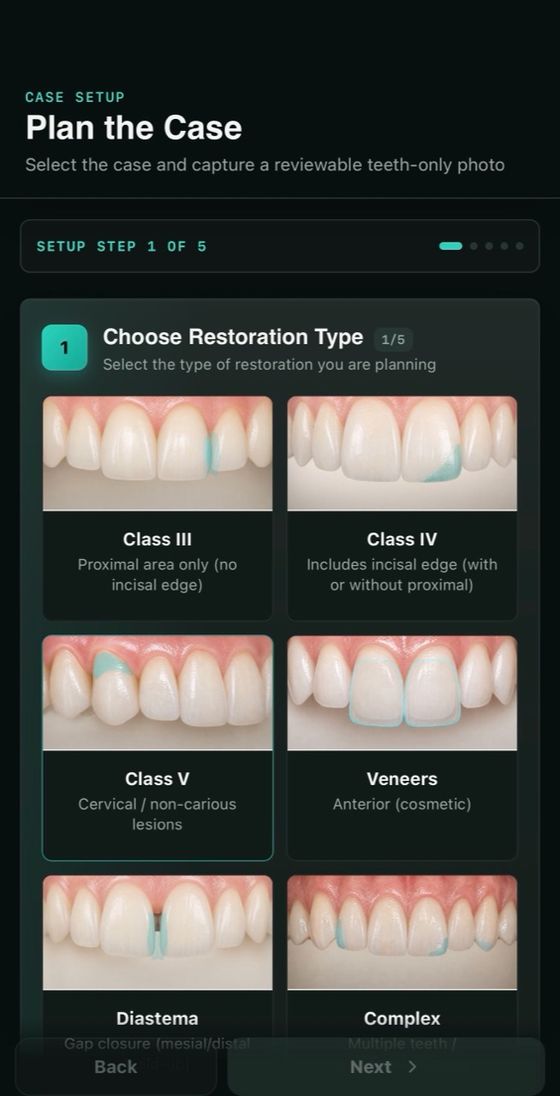
Restoration type 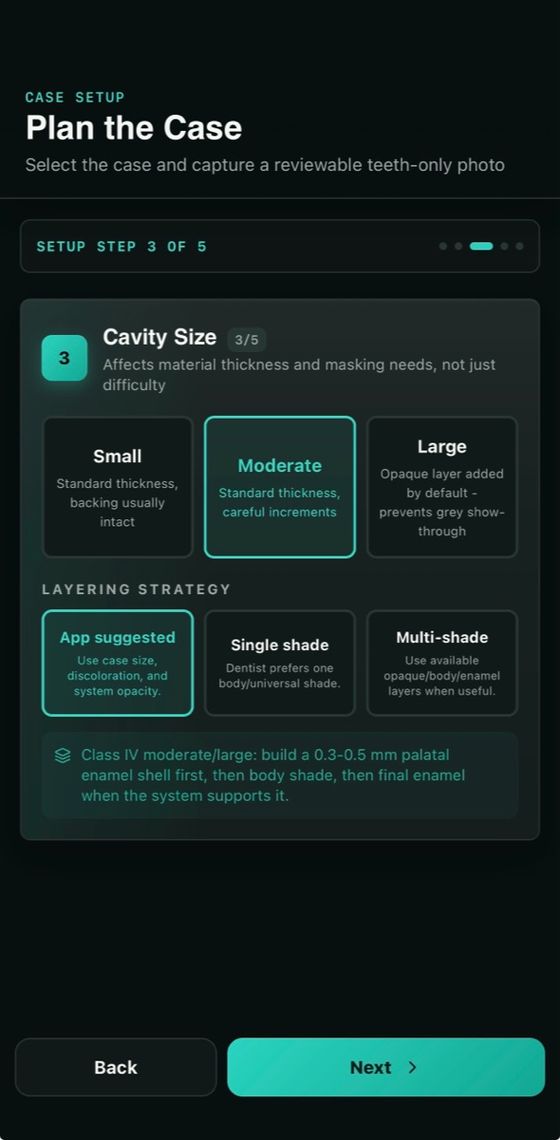
Cavity size and strategy -
Capture and mark the photo
Take a cross-polarised, teeth-only photo on a black background. Mark the adjacent tooth and, if you like, a VITA tab as shade references.
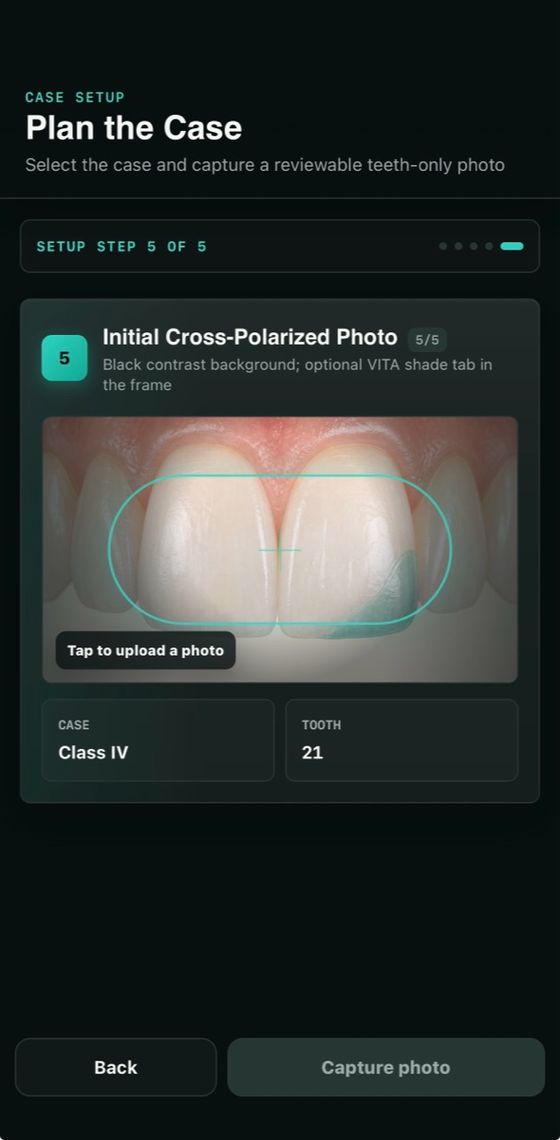
Cross-polarised photo 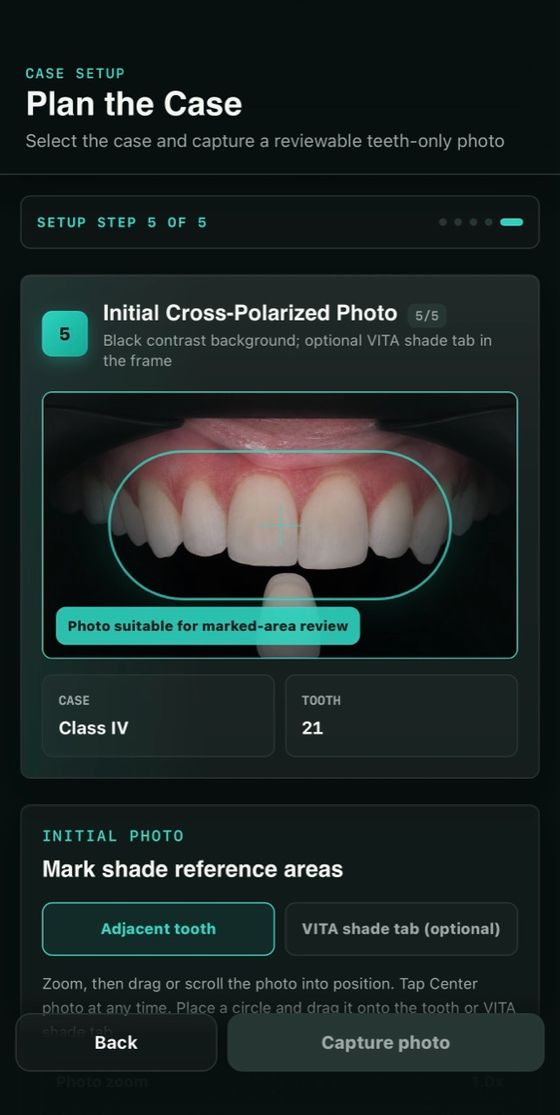
Shade reference areas -
Choose your composite
Pick from 59 composite systems by 26 manufacturers, or mix shades across brands. You get an initial recipe for every layer.
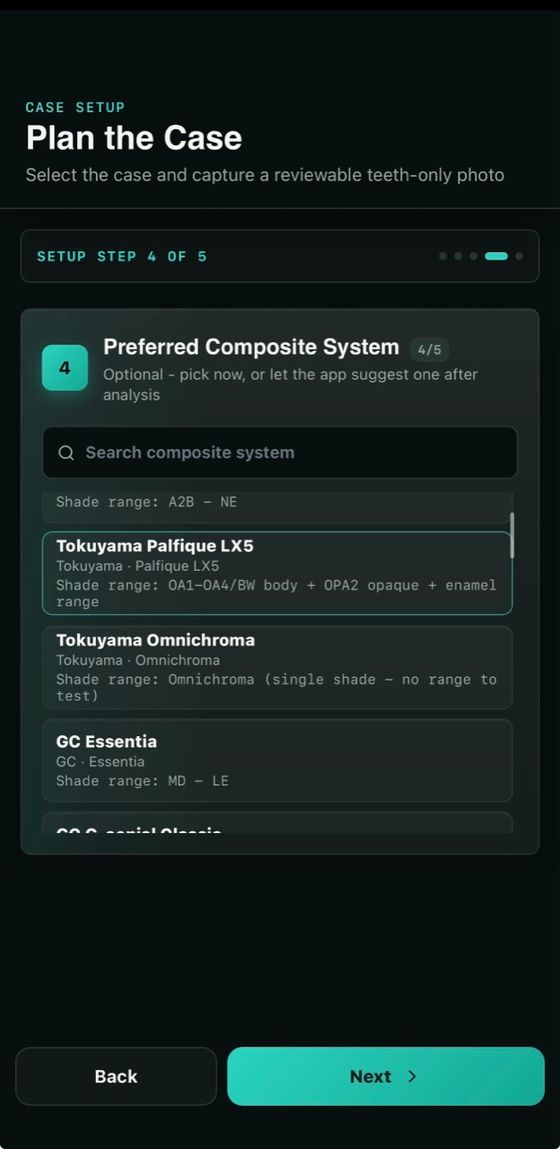
Composite library Initial recipe -
Confirm with cured buttons
Cure small buttons of the candidate shades on the tooth, photograph and label them, then compare the match before you commit.
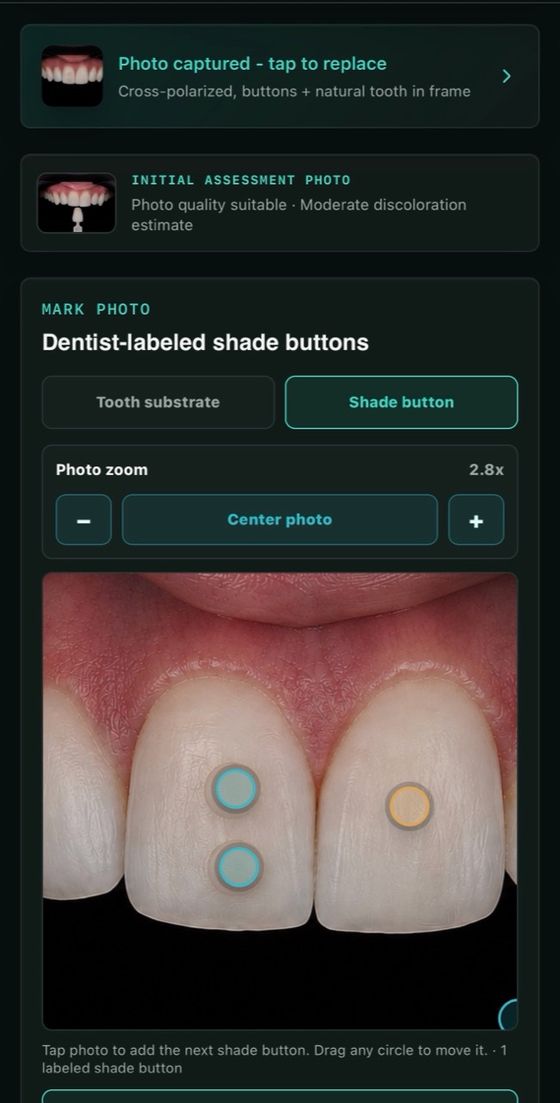
Label the buttons 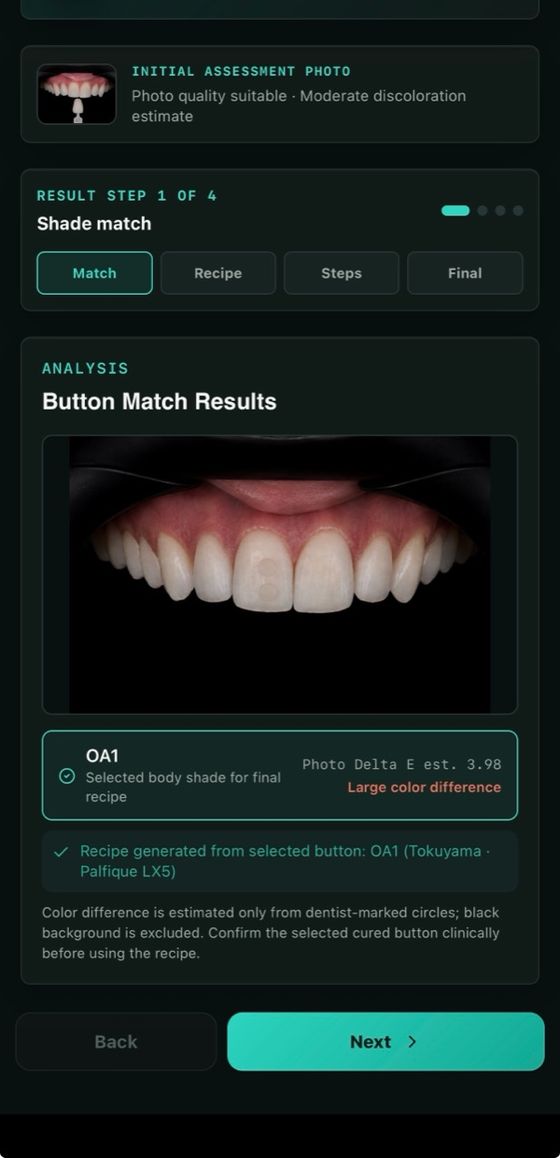
Button match results -
Layer, finish and document
Follow the procedure from isolation to polishing, compare the initial and final photos, and save the case as a PDF for your records.
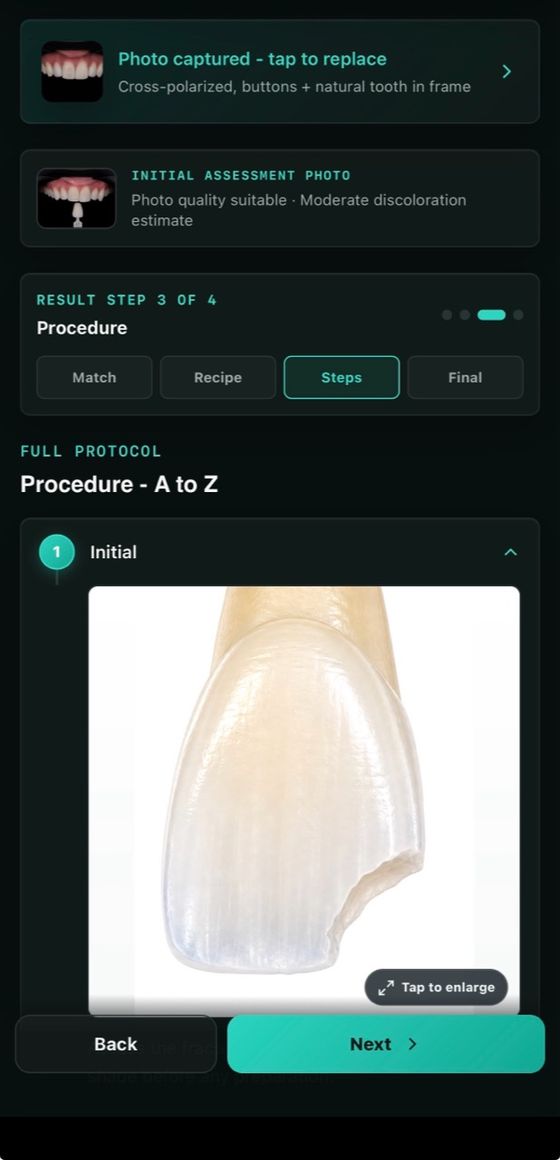
Procedure A to Z 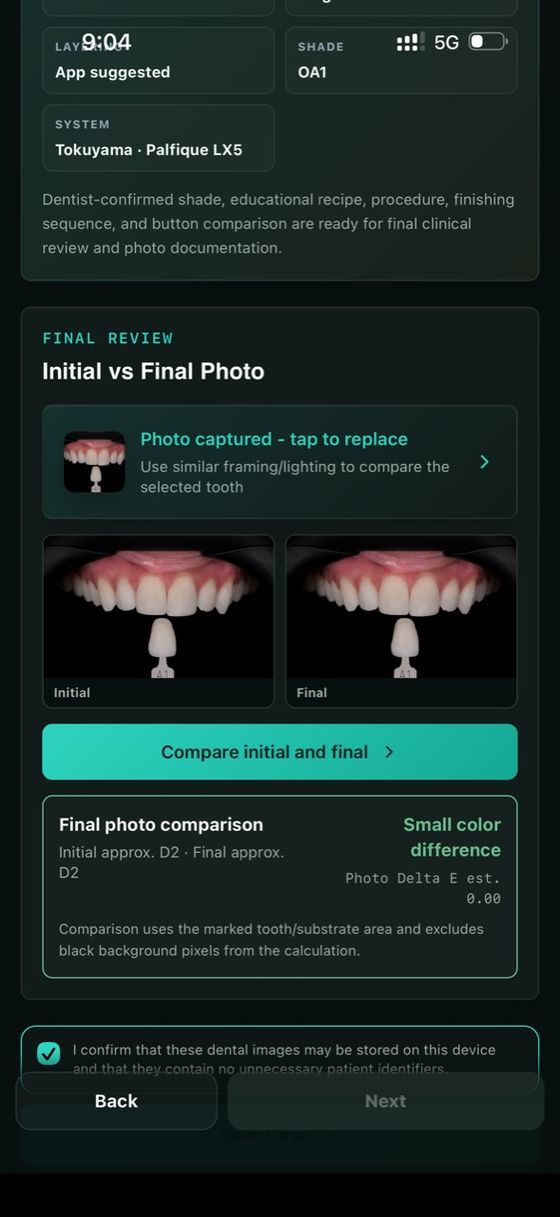
Initial and final comparison
Built for the anterior cases you see every week
Restorations
- Class III
- Class IV
- Class V
- Direct composite veneers
- Diastema closure
- Complex cases
Layering strategies
- App suggested
- Single shade
- Multi-shade
Your composites
59 systems from 26 manufacturers are built in. Choose the one on your shelf, or mix shades from different brands. Browse the composite library
Photos stay on your device
Case photos and notes are processed and stored on your iPhone or iPad. Nothing leaves it unless you export or share it.
Watch the app in action
Introduction
What Smile ResiPro does and who it is for, in 33 seconds.
A Class IV in one appointment
A real fracture case from plan to final photo, beside the app's screens.
Try it on your next case
Every plan starts with a 3-day free trial. Cancel any time in your Apple Account settings.
Monthly
Full access, billed monthly through the App Store.
Annual
Full access for about $7.50 a month.

Prices in US dollars. The App Store shows the price for your country. Requires iOS or iPadOS 15 or later.

Made by a dentist who teaches this workflow
Dr. Osama Shaalan is a specialist in aesthetic and restorative dentistry, practising in Dubai and Muscat. He teaches hands-on direct composite courses for dentists around the world, and built Smile ResiPro to bring that workflow to the chair.
Questions dentists ask
Who is Smile ResiPro for?
Qualified dental professionals and supervised dental trainees. It is not designed for patients.
Does it replace my clinical judgement?
No. It supports your planning and documentation. You verify the shade, materials, curing and every restorative step for each case, following the manufacturer's instructions.
Where are my case photos stored?
On your device. The app is designed to process and store photos and case information locally, and nothing leaves it unless you export, share or back it up. Avoid faces, names and patient numbers in photos.
Which composites can I use?
59 composite systems from 26 manufacturers are built in, and you can mix shades from different brands. You can search them all in the composite library.
Which devices does it run on?
iPhone and iPad with iOS or iPadOS 15 or later.
How do I cancel or restore my subscription?
Subscriptions are managed by Apple: open Settings, then Apple Account, then Subscriptions. Deleting the app does not cancel a subscription. To restore access on a new device, open the app and choose Restore Purchase.

Three days free on your next case
Download Smile ResiPro on the App Store and plan your next anterior composite layer by layer.